Free Chrome extension

Connect your marketplaces in seconds.

Install Resellbot Connect, stay logged into your marketplaces, and link your selling accounts without copy-pasting cookies, tokens, or API keys.

6 Marketplaces
1 click Per account
Free With every plan
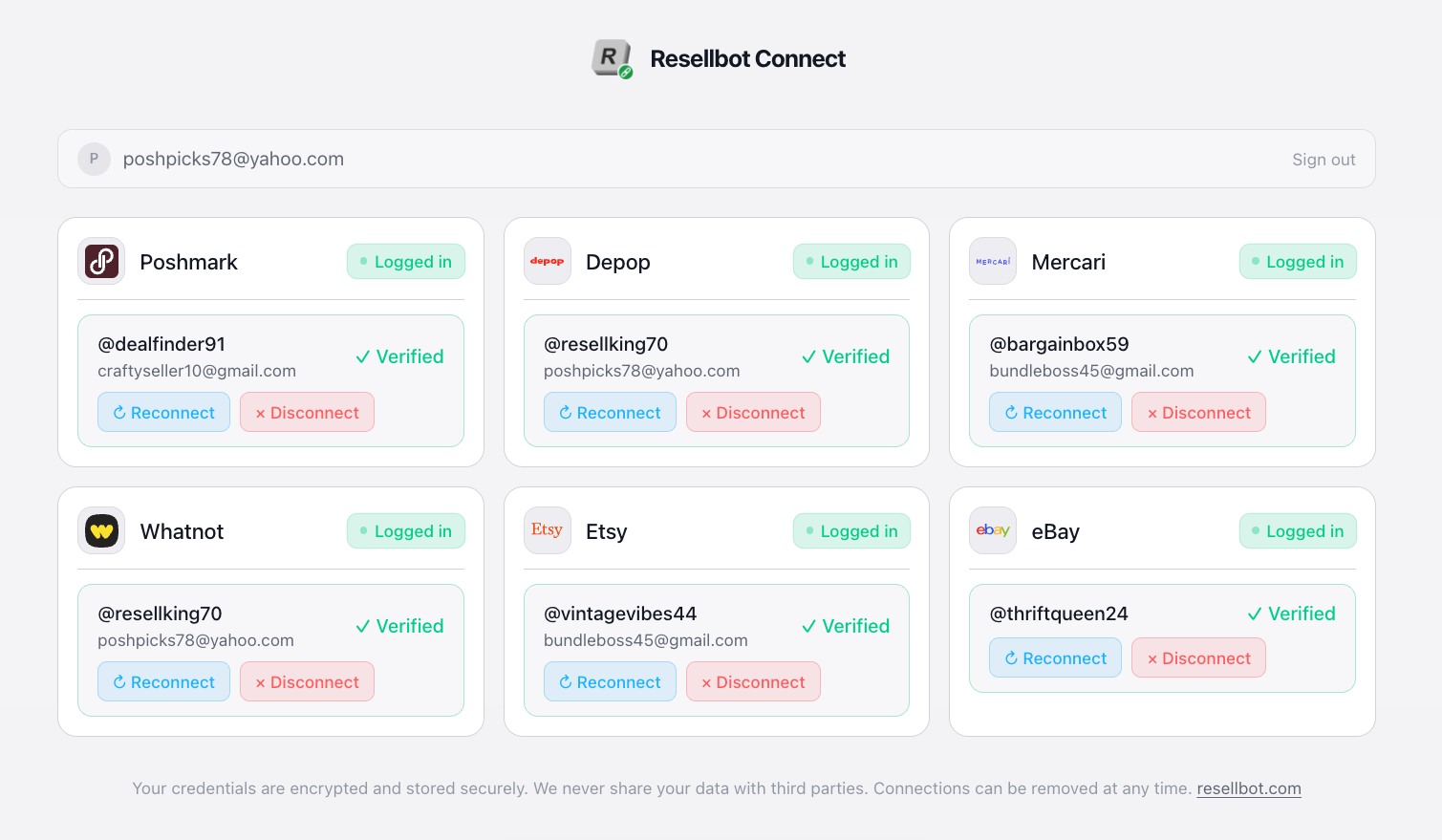
Resellbot Connect extension showing marketplace accounts connected and verified

Connect shows the accounts your browser is already signed into, then lets you link each marketplace to Resellbot from one clean extension panel.

Simple setup

Go from install to connected in under a minute.

Connect removes the manual setup work that usually slows down marketplace automation. If you are already signed in, the extension can do the boring part for you.

1

Install the extension

Add Resellbot Connect from the Chrome Web Store in a few clicks.

2

Sign in to Resellbot

Use the same Resellbot account you use for the dashboard and automation tools.

3

Link your accounts

Open the extension while you are logged into each marketplace and connect the account.

Marketplace support

One extension for the places you sell.

Use Connect when you are setting up Resellbot across multiple marketplaces and want each account linked from the same browser workflow.

Poshmark

US + Canada

Depop

Global

Mercari

US marketplace

Whatnot

Live selling

Etsy

Handmade + vintage

eBay

Global marketplace

Resellbot Connect extension dashboard preview

Built for account setup days

Open it, see what is signed in, connect what you need, and get back to setting up the work that actually grows the business.

Less manual work

Spend less time wiring accounts together.

Connect is meant to make the first step feel obvious. It keeps the marketplace linking flow inside Chrome, where your selling sessions already live.

  • Detect signed-in marketplaces. The extension recognizes active marketplace sessions in your browser.
  • Verify the connection. See which accounts are connected and which still need attention.
  • Use the same panel day or night. Light and dark modes keep the extension readable with your browser setup.
Secure by design

Control your connections from Resellbot.

The extension is built for account linking, not for changing your marketplace listings from the browser popup. You stay in control of what is connected.

No marketplace passwords

Connect does not ask you to type marketplace passwords into Resellbot.

Browser-session based

Use the sessions you already have in Chrome instead of handling raw connection details yourself.

Encrypted in transit

Connection data is sent over HTTPS between the extension and Resellbot.

Disconnect when needed

Remove linked marketplaces from the extension or your Resellbot dashboard.

Connect FAQ

Questions before you install?

Add Connect to Chrome
Is Resellbot Connect free?

Yes. Resellbot Connect is included with every Resellbot plan at no extra cost.

Do I need a Resellbot account?

Yes. Sign in at dashboard.resellbot.com, then use the extension to link the marketplace accounts you want Resellbot to work with.

What happens if I log out of a marketplace?

If the browser session is no longer active, the connection may need to be refreshed. Log back into the marketplace in Chrome and connect it again.

Does it work outside Chrome?

Connect is built for Chrome and Chromium-based browsers such as Edge and Brave.

Can I disconnect a marketplace account?

Yes. You can remove a linked marketplace from the extension or from your Resellbot dashboard.